How to Automate Business Processes
A 7-step framework for identifying, mapping, and building workflows that remove manual work and scale revenue.
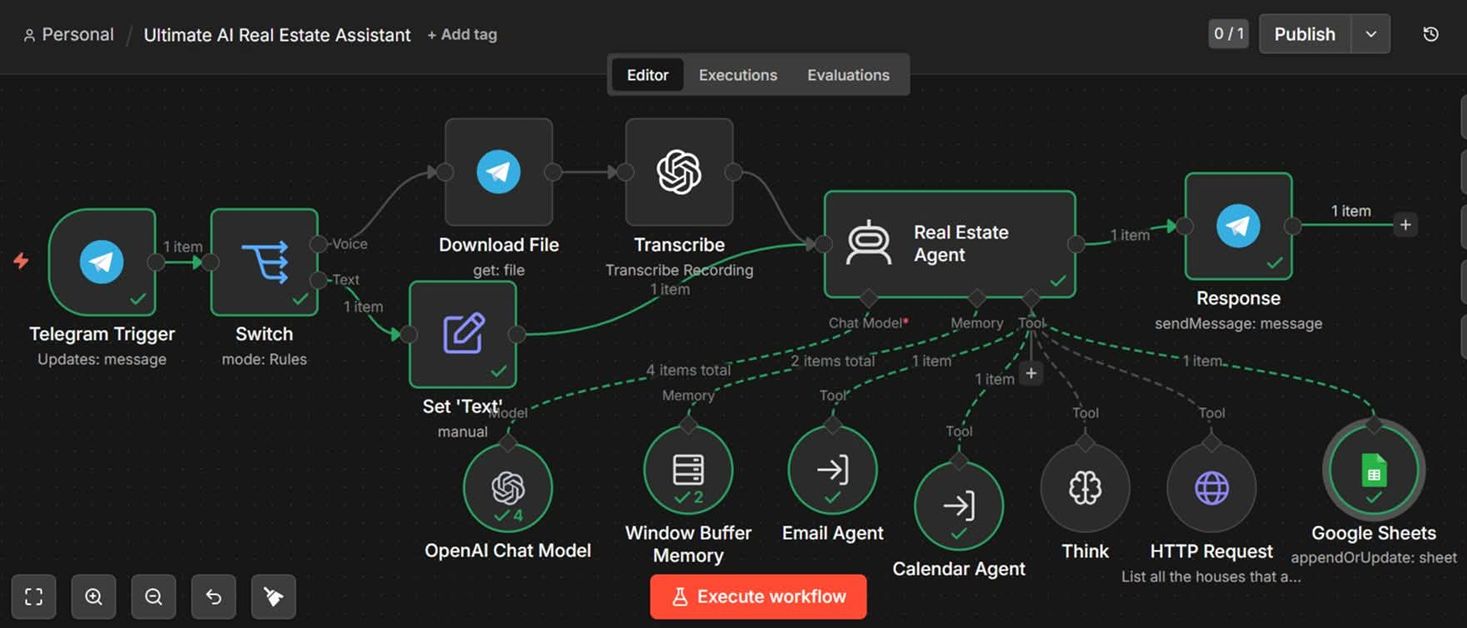
Automation is not about replacing people. It is about removing the repetitive work that keeps your team from doing the work that actually matters: selling, strategizing, creating, and serving customers. Most businesses already know this. What they do not know is where to start.
This guide answers the question we hear most often from founders: how do we automate our business processes without making things more complicated? The approach below is the same one we use with clients: simple enough to start this week, and structured enough to scale across the whole business.
Signals
Signs your business is ready for automation
If these sound familiar, you are losing hours and revenue to work that software can handle.
- You or your team repeat the same task more than three times a week.
- Data is typed into more than one system manually.
- Customers wait hours for a reply that could be instant.
- Reports require someone to clean or copy data by hand.
- Simple tasks are delayed because the right person is busy.
Framework
A 7-step process for automating business workflows
You do not need a complete transformation. You need one workflow that works, then another.
1. Audit what you do today
List the tasks that happen more than three times a week. For each one, note how long it takes, who owns it, and whether it follows a predictable pattern.
2. Pick the highest-impact process
Rank tasks by two numbers: weekly hours spent and business risk if they go wrong. The sweet spot is a repetitive task that directly affects revenue or customer experience.
3. Map the workflow in plain language
Write the steps as if you were training a new employee. When this form is submitted, then this happens, then this person is notified, then this record is updated.
4. Define the trigger and the rules
A trigger is the event that starts the workflow: a new payment, a form submission, a deal stage change, a missed call. The rules decide what happens next and when to escalate to a human.
5. Build the automation between your tools
Connect the apps that already hold the data: your CRM, forms, email, calendar, accounting, and support desk. The goal is to move data automatically without anyone retyping it.
6. Test with real data before launch
Run the workflow with a small sample first. Check edge cases, fix errors, and confirm the output looks right. Then turn it on for live traffic with monitoring enabled.
7. Measure, refine, and scale
Track time saved, error rates, and speed. Once the first workflow is stable, repeat the process for the next task. Momentum builds quickly after the first win.
Examples
Four business processes you can automate this quarter
These are common starting points across the companies we work with.
Lead-to-meeting routing
The problem: Inquiries arrive from the website, email, and WhatsApp, then sit in inboxes until someone forwards them.
What we build: Every inquiry is captured, scored, assigned to the right rep, and logged in the CRM with an automatic follow-up sequence.
First response time drops from hours to under five minutes.
Customer onboarding
The problem: New customers receive a mix of manual emails, PDFs, and calendar links, and many drop off before completing setup.
What we build: A triggered journey sends the right resources, books onboarding calls, creates tasks, and updates the customer record as milestones are completed.
Higher completion rates and fewer manual status checks.
Invoice and payment reconciliation
The problem: Sales teams close deals in the CRM, but finance still creates invoices by hand and chases payments over email.
What we build: When a deal is marked won, an invoice is generated, sent, and matched to the bank payment, with reminders sent automatically.
Cash collection improves and hours of admin disappear.
Support triage and deflection
The problem: Support agents spend half their day answering the same ten questions and routing tickets to the right team.
What we build: An AI agent answers common questions instantly, classifies urgent issues, and creates CRM records for follow-up.
More tickets resolved without a human, and faster escalation when it matters.
Pitfalls
Five mistakes that break automation projects
- Automating a messy process before simplifying it. Bad inputs become bad outputs faster.
- Building everything at once. Start with one workflow, prove it works, then expand.
- Ignoring the human hand-off. Some decisions still need a person, and the system should know when to stop.
- Skipping error handling. Without alerts, a silent failure can undo days of trust.
- Forgetting to measure. If you do not baseline the time spent, the ROI conversation becomes impossible.
If you want to go deeper on a specific area, our guide to CRM automation covers the sales side of the business, and the post on AI automation use cases explains where AI can add the most value.
For a full view of how we build these systems, see our services page or book a free automation audit.
FAQ
Common questions
Ready to automate your first workflow?
Book a free automation audit. We map your processes, find the quickest wins, and hand you a ranked build plan.
Keep reading
Business Automation
12 Business Process Automation Examples That Actually Save Time
10 min read
AI Agents
AI Agents for Business: What They Do and Where to Start
11 min read
AI Readiness
CRM and Knowledge-Base Cleanup Before AI Deployment: A Practical Guide
10 min read